App configuration
You can access the app configuration by navigating in Scompler to:
Project Settings > Developers > Apps
The app configuration allows you to set up and manage all key aspects of your app in Scompler.
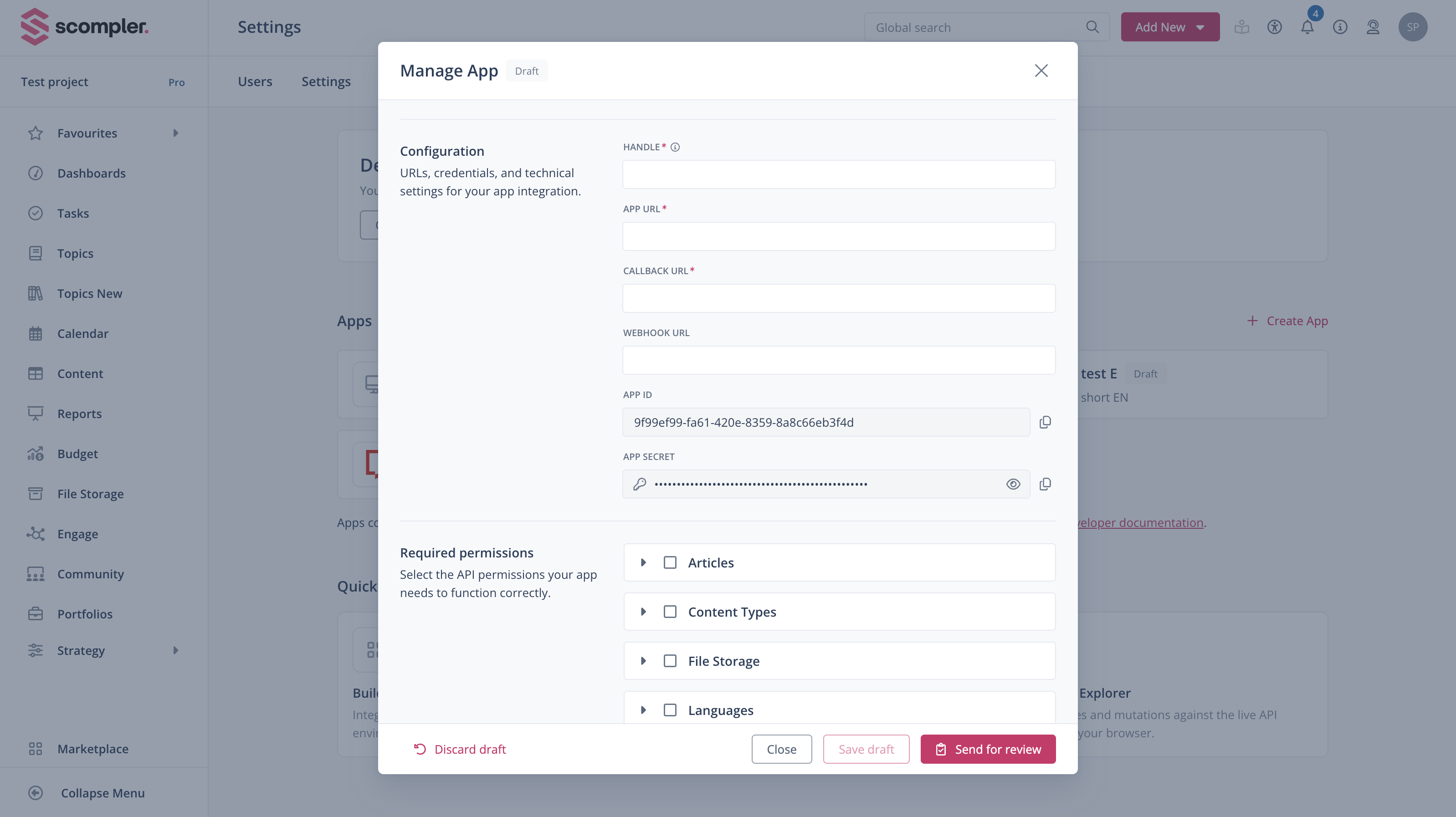
| Field | Description |
|---|---|
| Handle | A unique identifier for your app within Scompler. Used in URLs, should be short, lowercase, and URL-friendly. |
| Callback URL | The endpoint in your backend where Scompler sends installation data. Your backend must validate these requests to ensure authenticity. |
| App URL | The URL where your app frontend is hosted. This is the location that Scompler loads when embedding your app. Must be publicly accessible via HTTPS. |
| Webhook URL | The endpoint where your backend receives platform events, such as app.uninstalled. Backend should verify the request signature to ensure the webhook is legitimate. |
| App ID | The unique identifier assigned to your app by Scompler. |
| App secret | A confidential key used to verify requests from Scompler, including installation callbacks, signed requests, and webhooks. Keep it secure and never expose it in the frontend. |
| Required permissions | The set of permissions your app needs to operate. Users must grant these permissions when installing the app. |